

For freight brokers on any TMS
Is this carrier who they say they are?
One link checks authority and insurance, flags the signs of double brokering, and gets your carrier packet filled in on their phone. Works with any TMS.
Join early access- $99 a month for your whole company
- no user limit
- no contract

How it works
One link replaces the PDF packet. You send it, the carrier fills it in on their phone, and the whole carrier file comes back to you.
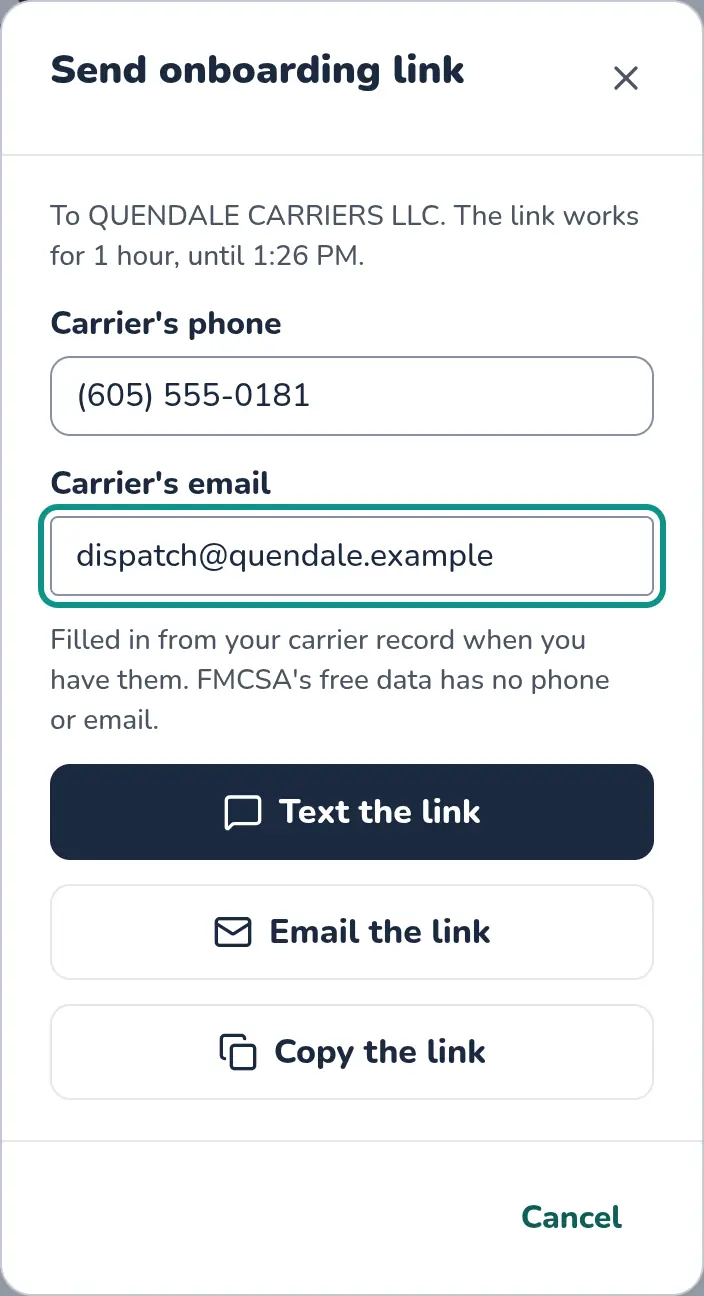
Step 1: You send one link
From your carrier list, a carrier's page or your phone. Text it, email it or copy it. The carrier needs no account.
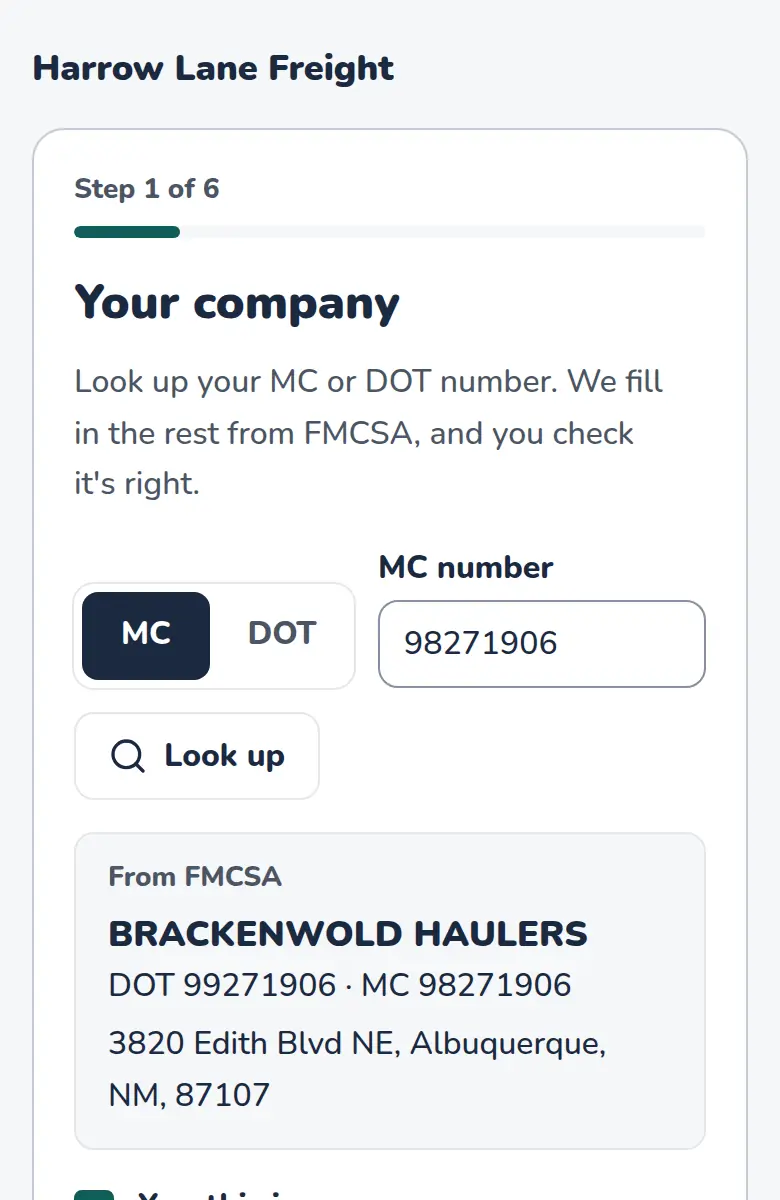
Step 2: They fill it in on their phone
They type their MC number. Company details come in from FMCSA, and they check them.
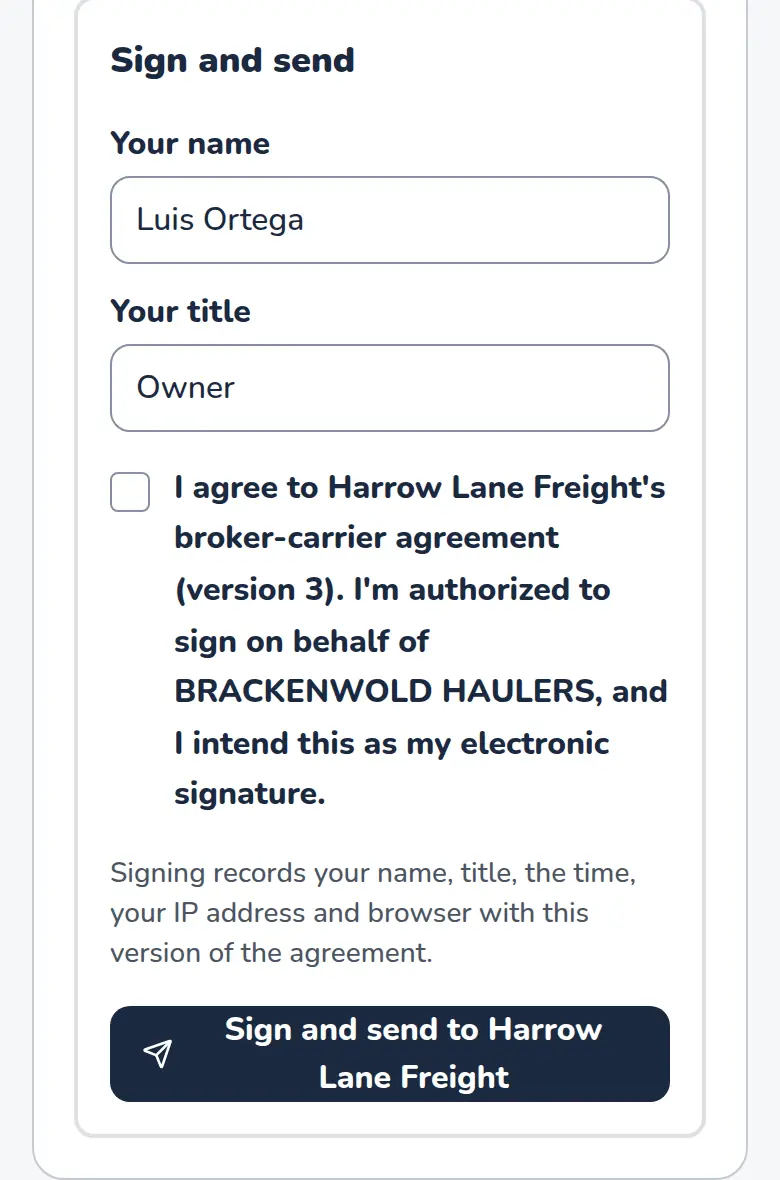
Step 3: They sign your agreement
Your broker-carrier agreement, signed on the last page with their name, title and the time.
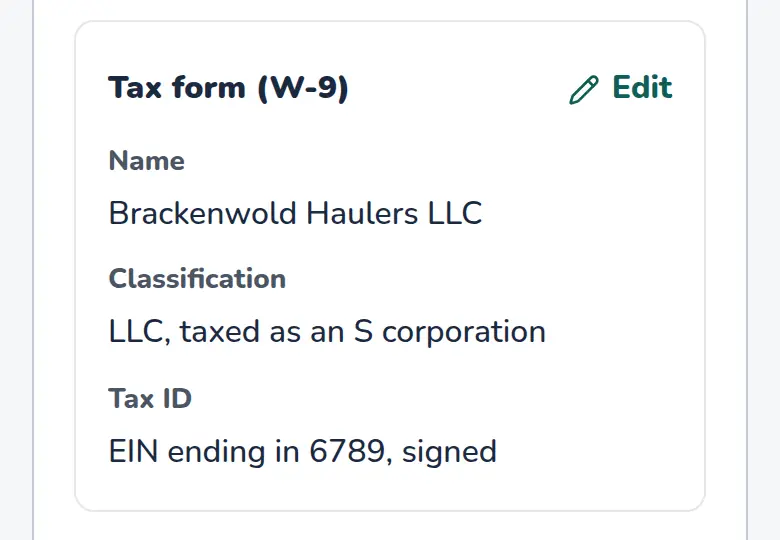
Step 4: W-9 and insurance
The IRS W-9 filled in and signed on the form, and their certificate of insurance uploaded.
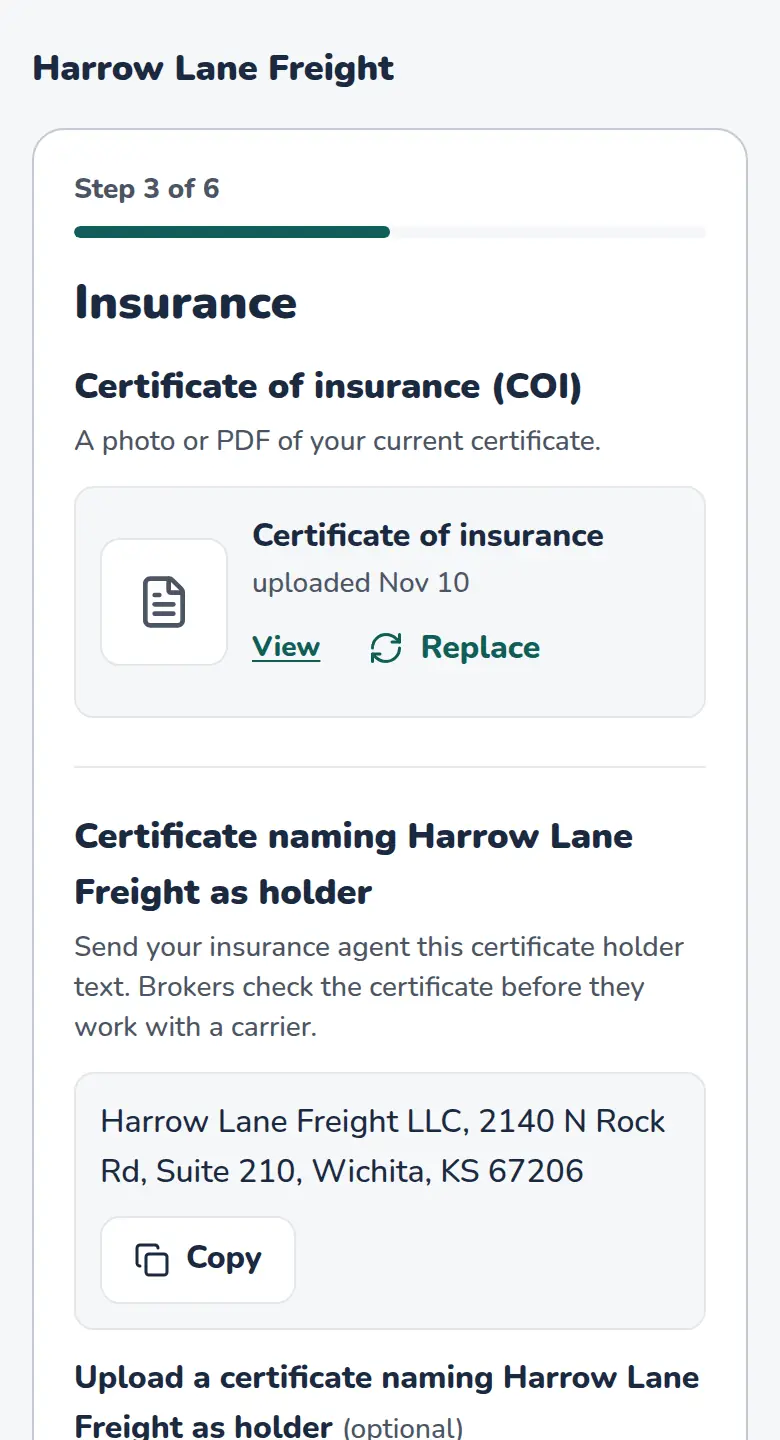
Step 5: You get it all back
The bell tells you, and the review page shows everything they sent: contacts, insurance, W-9, payment details and the signed agreement, with anything that needs a look first.
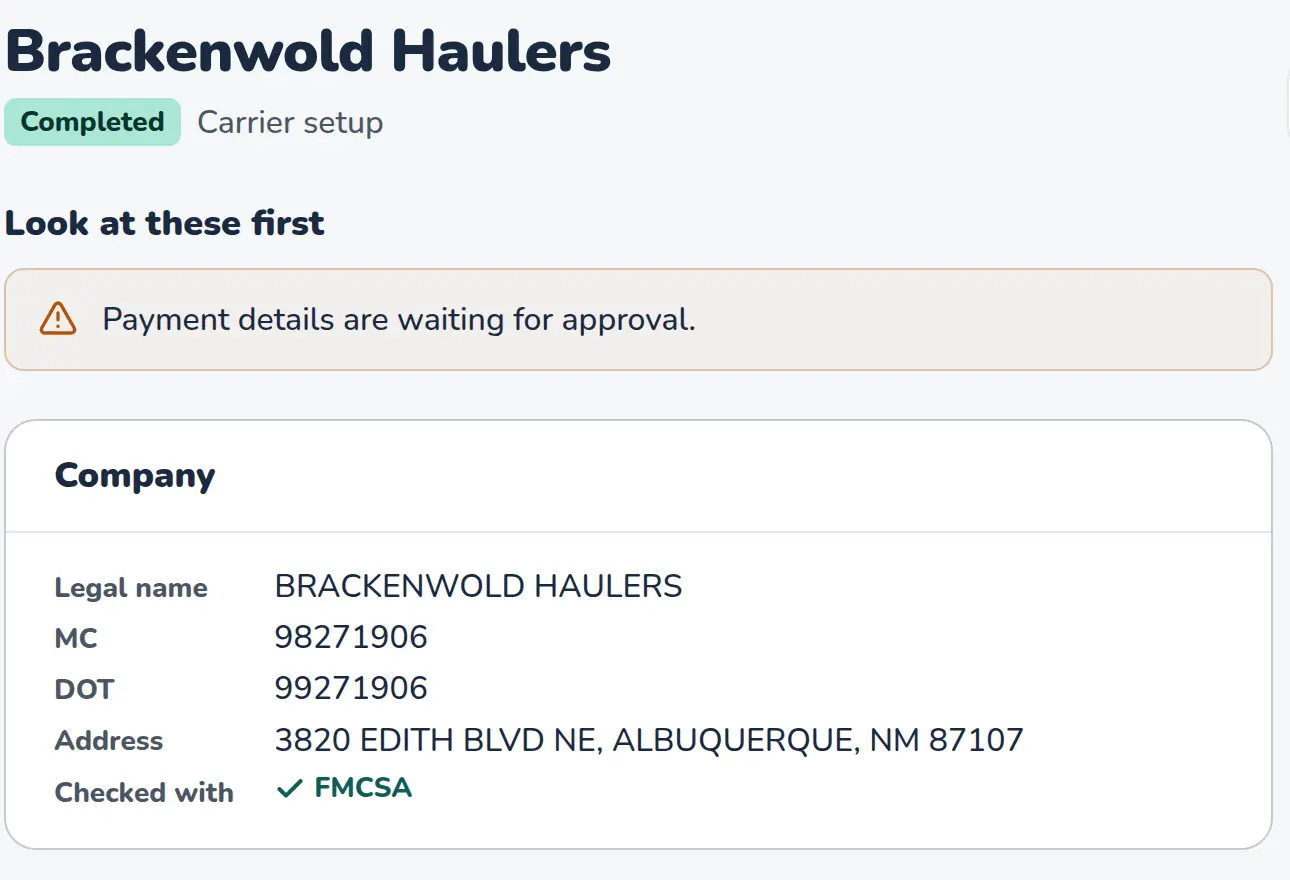
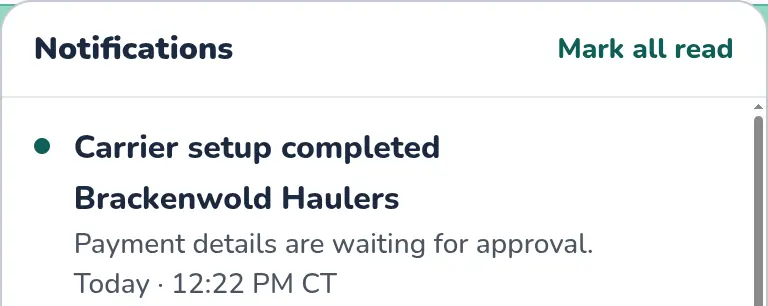
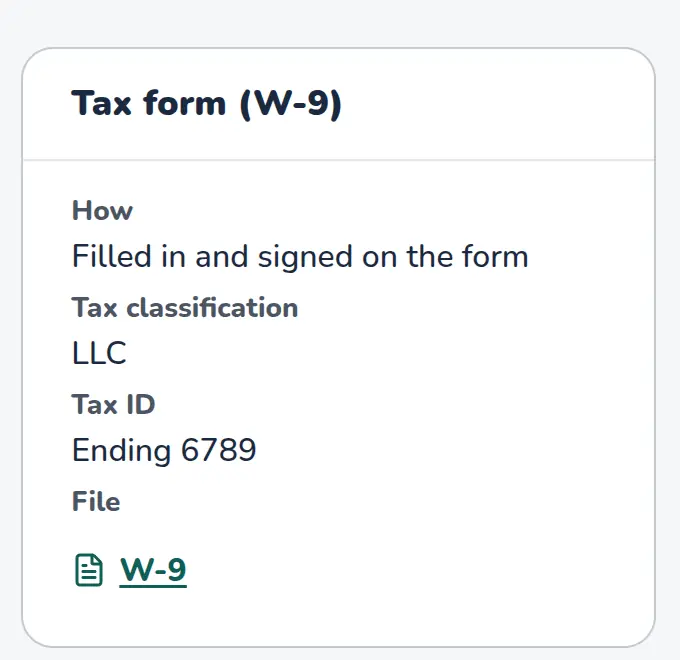


Real screens from the product, with demo data.
What it does
You send a link, the carrier does the typing, and you see the warning signs before you book.
One link, filled in on their phone
Send the carrier one link instead of a PDF packet. No account for them, and your company's name and logo on every page.
A complete carrier file
Contacts, insurance certificate, W-9, payment details and the signed broker-carrier agreement land in the carrier's file.
Authority and insurance checked
From FMCSA's public record, and again every morning for the carriers you watch.
Warning signs, before you book
New authority (younger than the age you choose), broker authority with no carrier authority, a name that looks like another carrier's, and the same phone, email or tax ID as a carrier you already have.
Check a carrier from your phone
Type an MC number, see what FMCSA says and whether the carrier is already yours, and send the link from there.
Find a carrier you already have
Search your own carriers by the lanes, regions and equipment they gave on their onboarding form.
Alerts before insurance expires
Your dashboard flags expiring insurance, with optional reminders to carriers before it runs out.
Payment changes wait for you
A new way to pay a carrier waits for your approval before anyone is paid there.
Works with the TMS you have
Download each carrier's packet as one PDF, or export your carriers as an Excel or CSV file for your TMS.


One price for your company
$99
a month, for your whole company
- Every onboarding feature
- No user limit, ever
- Unlimited carriers
- 14-day free trial
- No contract
Opening soon. Join early access to hear first.
Need loads and invoicing too? SimpleBroker TMS includes Carrier Onboarding as an add-on.