

Launching soon. Join early access.
The broker TMS without the clutter.
One place for loads, carriers, rate cons and invoices, built for growing freight brokerages.
Join early access- At launch: 14-day free trial
- No contract
- No setup fees
Spend your day on freight, not paperwork
Type a load once
Today
You re-type the same load into a spreadsheet, a rate con and an invoice.
What SimpleBroker does
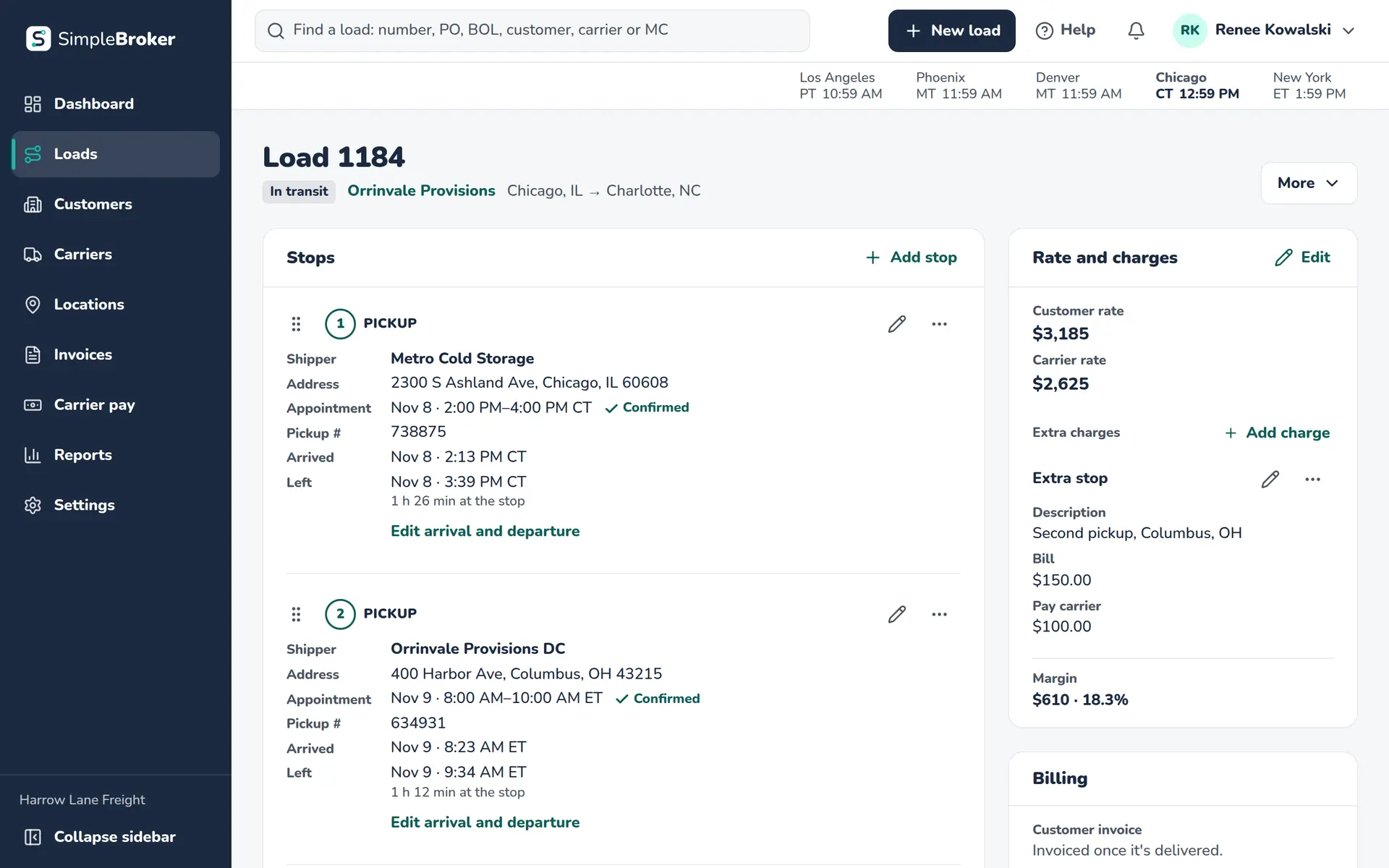
You enter the load once, with as many stops as it needs. The rate con and the invoice are made from it.
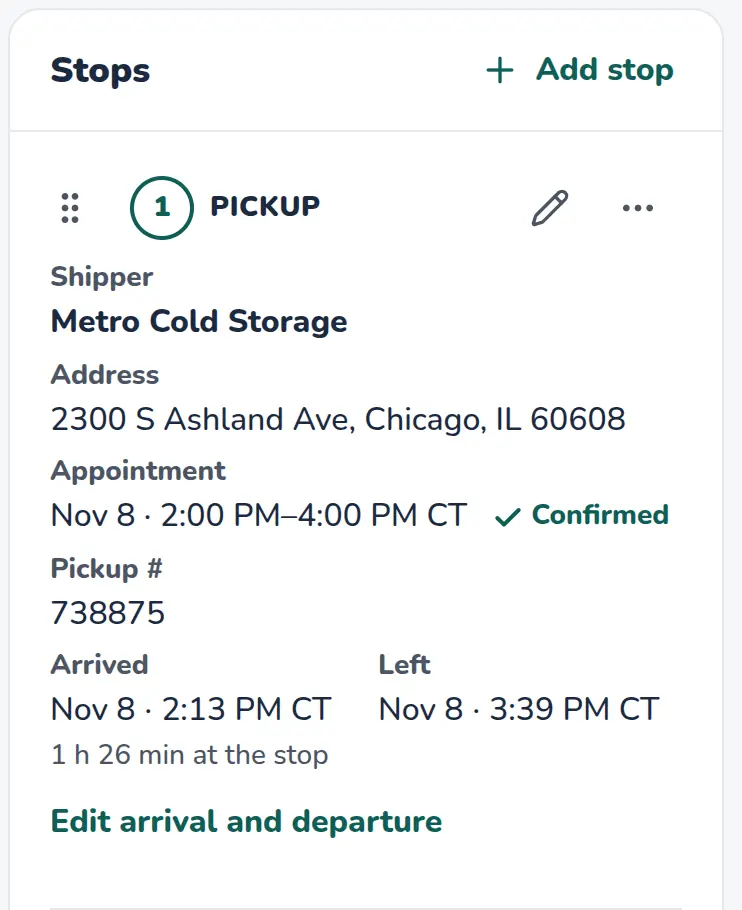
Tap the picture to see the whole screen.
Stop chasing rate cons
Today
You email or fax a rate con, then call the carrier to see if it was signed.
What SimpleBroker does
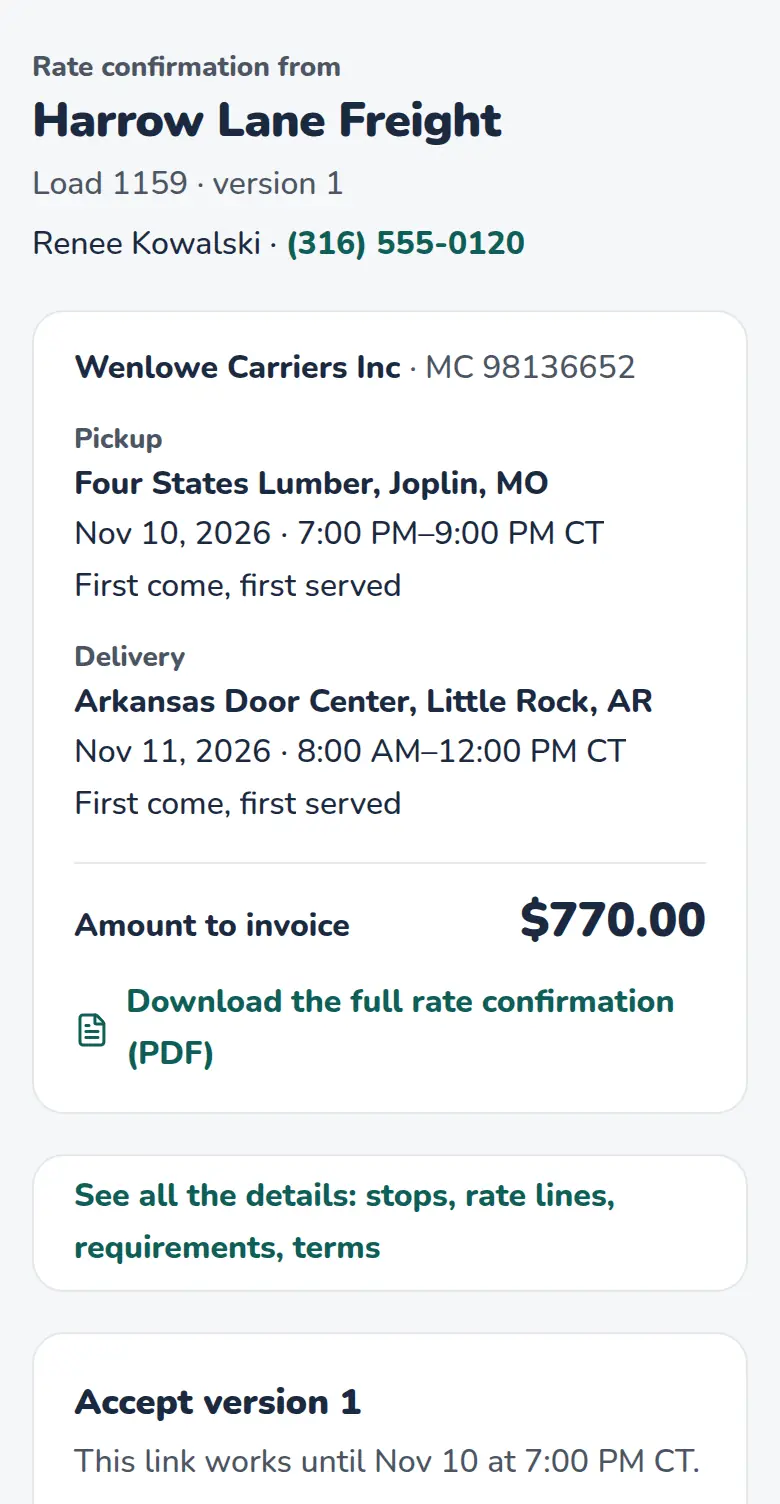
Send the carrier a link. They review and accept the rate con on their phone, and the load shows it's accepted.
Bill from the same place
Today
Invoices live in another tool, so a delivered load can slip by unbilled.
What SimpleBroker does
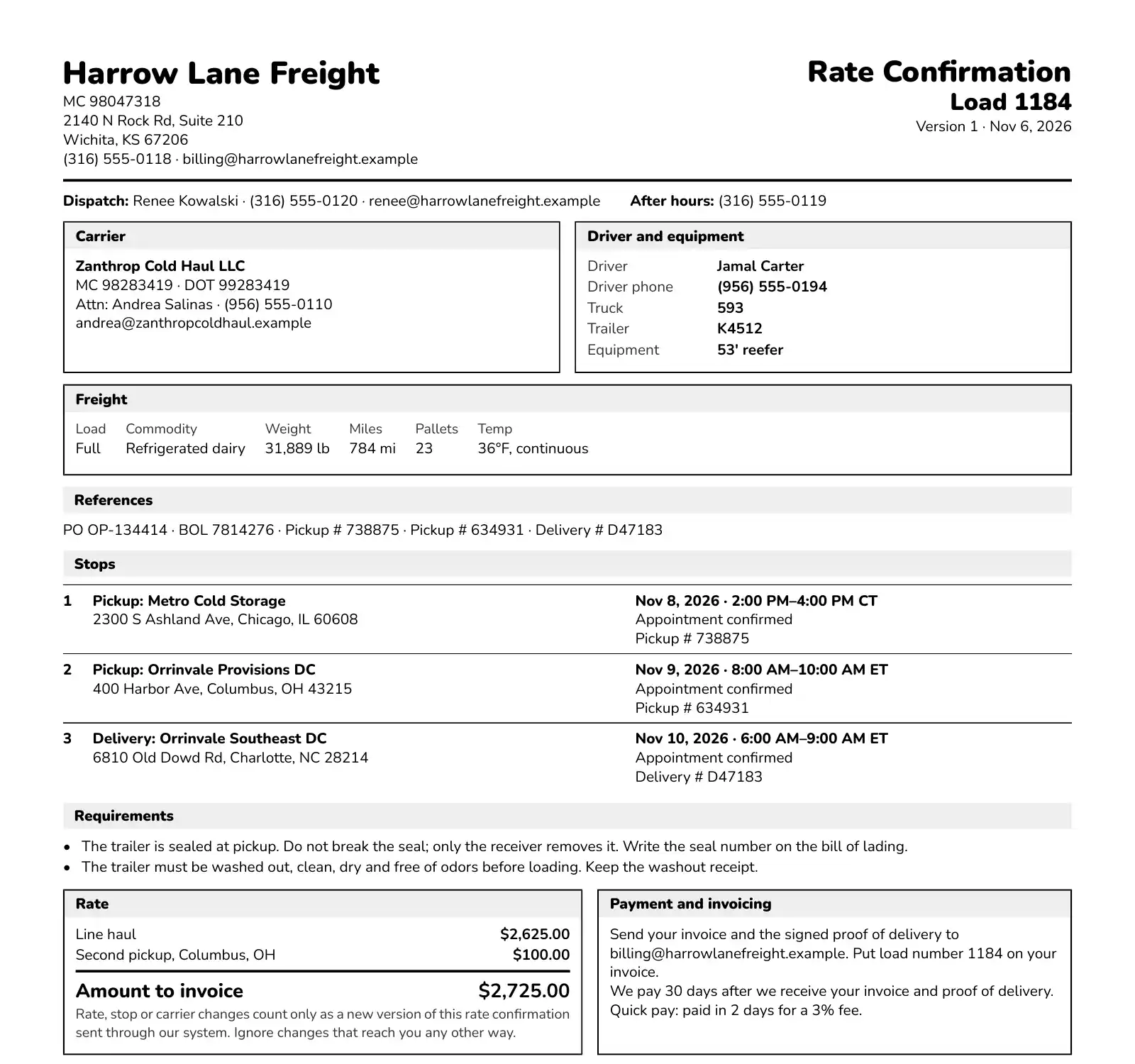
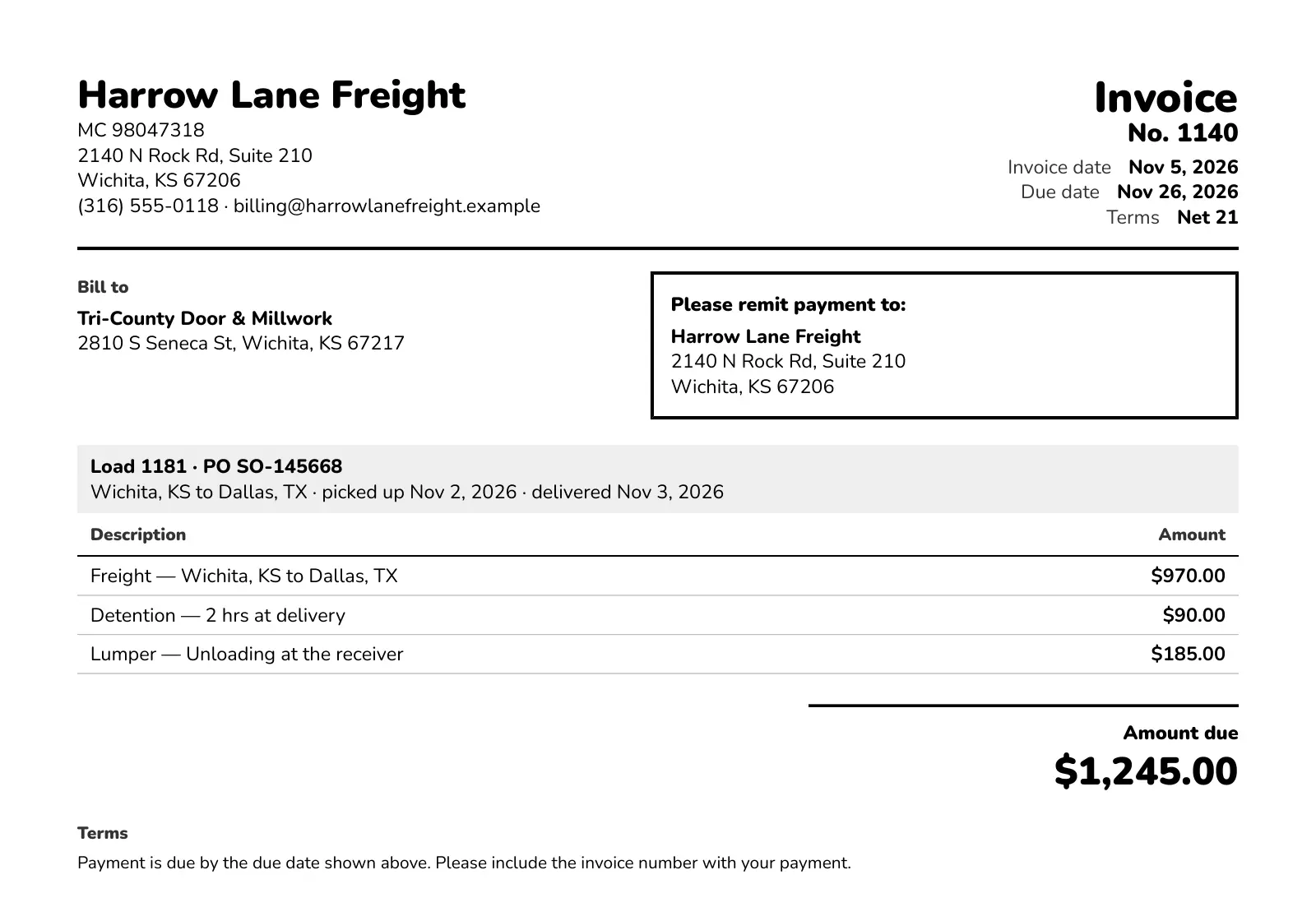
You make the invoice from the delivered load, with its charges already on it, and it goes to QuickBooks Online.
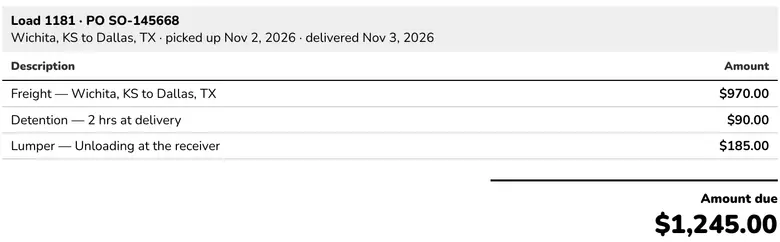
Tap the picture to see the whole screen.


Your day at a glance
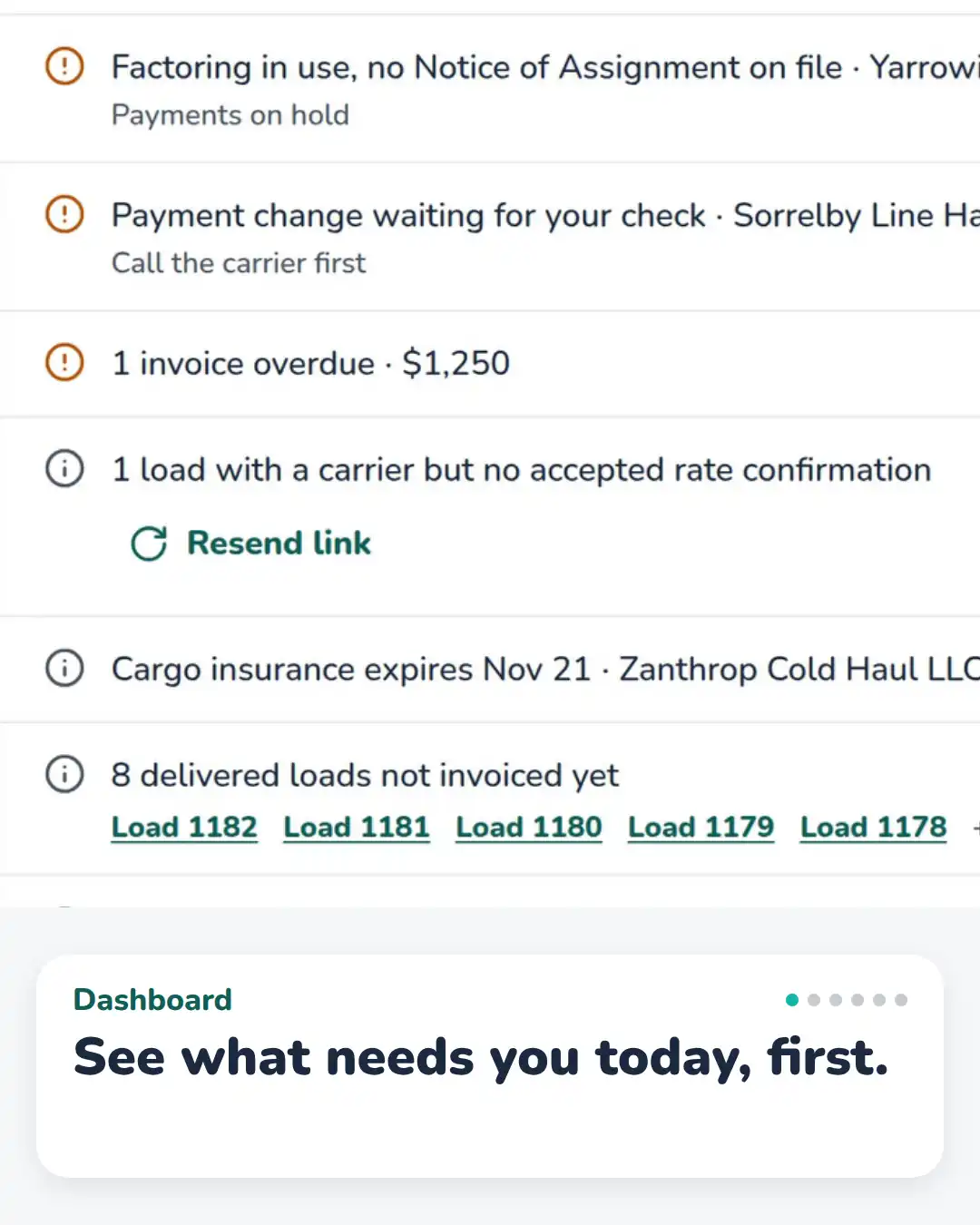
The dashboard shows what needs you today: late loads, carriers on payment hold, overdue invoices and today's stops. On your phone, you update a load in one tap.
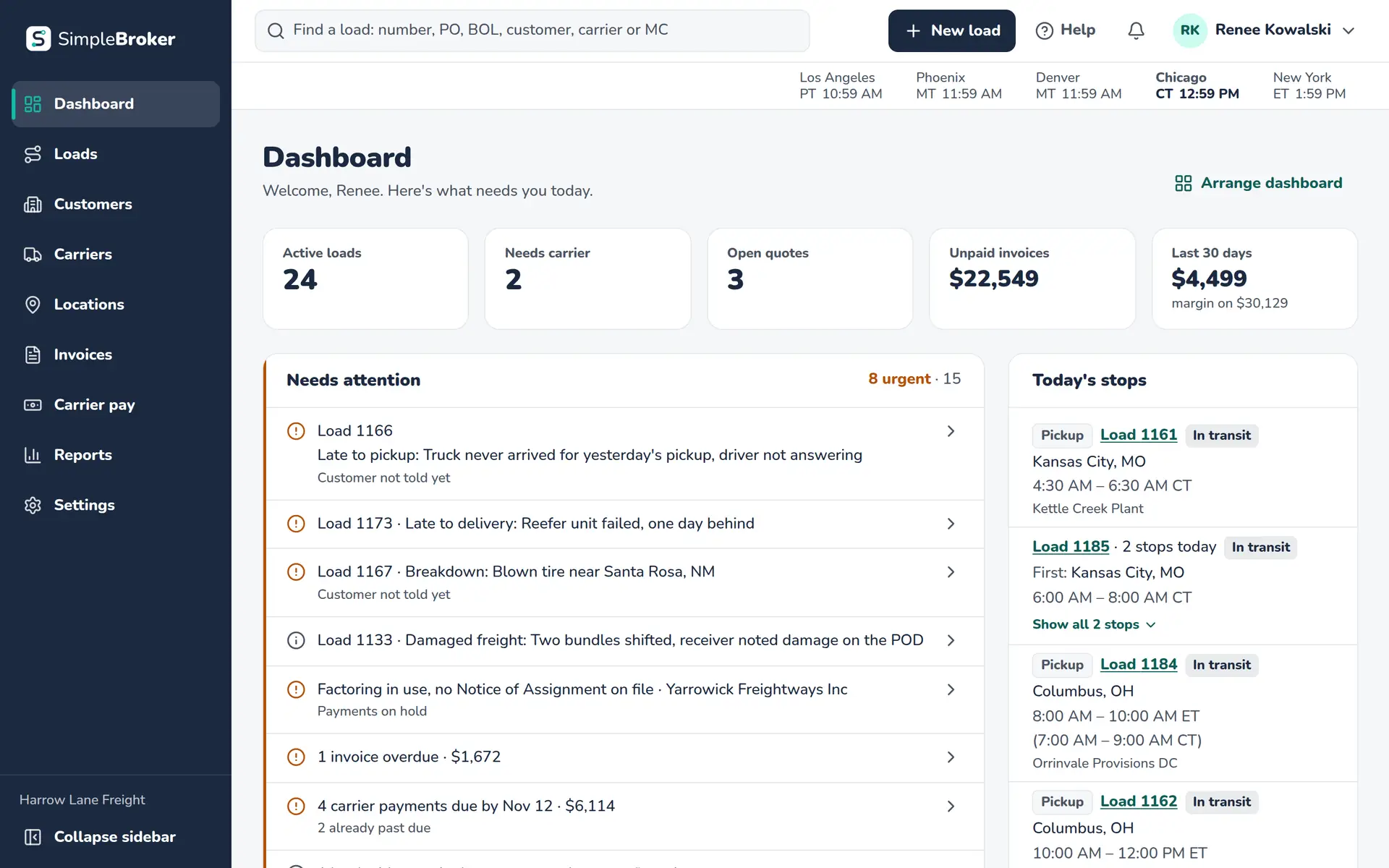
Tap the picture to see the whole screen.

Grows with your brokerage
Open a second office, branch or team when you need one. With one office, none of this shows.
Loads and people by office
Each load belongs to an office, and so does each person, or they work across all of them.
Move a load when the work moves
Hand a load to another office in one step, and its history shows who moved it.
Office on the load list
Anyone who sees more than one office gets an Office column and an Office filter.
One company behind it
Customers and carriers are shared by every office, and invoices go out under your company's name.

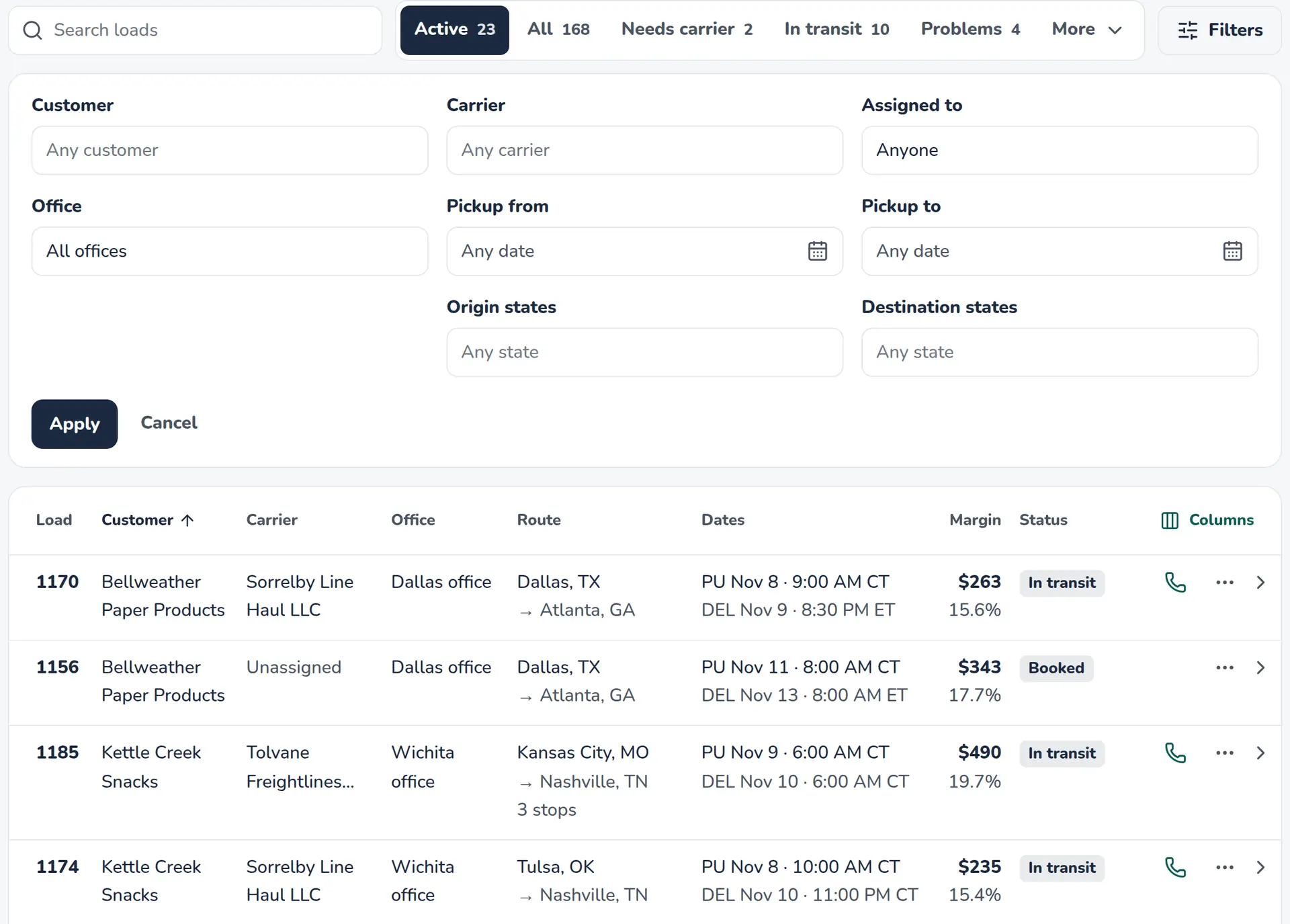
Tap the picture to see the whole screen.
Who sees which loads
Set it per role: all loads, their office's loads, or only the loads they're assigned to or created.

Carrier onboarding
The Carrier Onboarding add-on sets up new carriers for you: you send a link, the carrier does the typing.
One link
Send the carrier one link instead of a PDF packet.
Filled in on their phone
The carrier fills it in on their phone, with no account, under your company's name and logo.
A complete carrier file
Contacts, insurance certificate, W-9, payment details and the signed broker-carrier agreement land in the carrier's file.
Authority and insurance checked
Authority, insurance on file and safety rating come from FMCSA's public record, and carriers on your loads are checked again every morning.
Alerts before insurance expires
Your dashboard flags expiring insurance for carriers on your loads, with optional reminders to carriers before insurance expires.
Payment changes wait for you
A new way to pay a carrier waits for your approval before anyone is paid there.


Every carrier on one page
The Carrier compliance report puts each carrier's insurance, NOA, W-9 and authority side by side, problems first. Print it or export it to CSV.

At launch: an add-on at $49 per month for your whole company, or $39 for founding brokers. No limit on carriers or seats.
Not on SimpleBroker TMS? SimpleBroker Carrier Onboarding works on its own.
Everything you need to run your brokerage. Nothing you don't.
Every plan includes every SimpleBroker feature. Carrier Onboarding is an optional add-on.
Loads
Multi-stop loads
Add as many stops as you need, drag them into order, and mark each one as pickup, delivery or both.
Check calls
Log check calls on the load in one tap, from your desk or your phone.
Carriers
Carrier records with factoring
Keep each carrier's details and factoring company on file, with a check that the Notice of Assignment is in place.
Rate cons accepted by link
Send the carrier a link. They review and accept the rate con on their phone, with no printing, signing or scanning.
Billing
Invoicing built in
Make invoices from your loads, with your own remit-to, terms and columns, so billing doesn't need a separate tool.
Margin on every load
See the margin on each load, and choose who on your team can see it.
Profit reports
See what you made on each load and each customer, and export it to CSV or Excel.
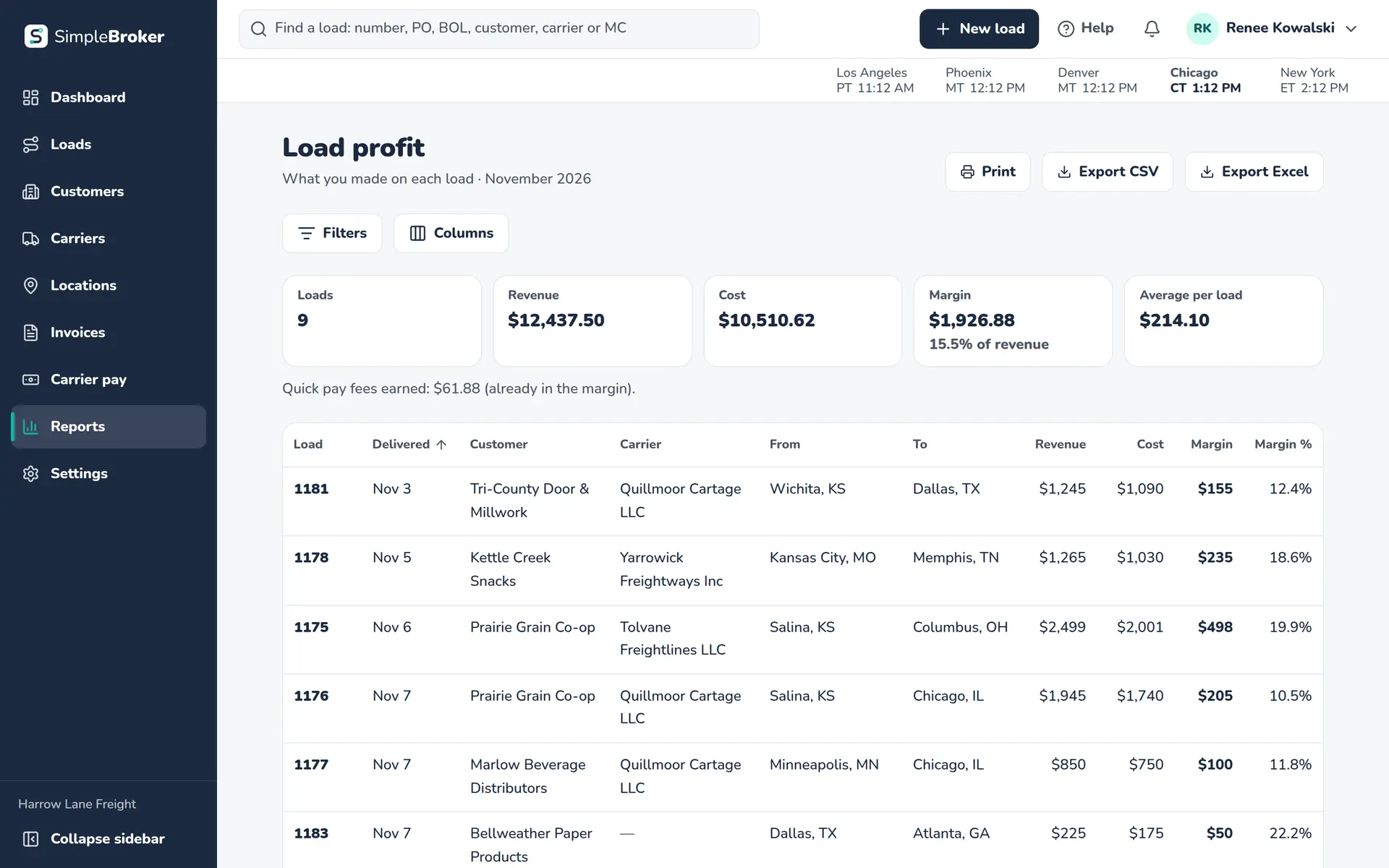
Tap the picture to see the whole screen.
Integrations
QuickBooks Online included
Connect QuickBooks Online so invoices, carrier bills and payments aren't typed in twice, at no extra cost.
DAT and Truckstop
Post your loads to DAT and Truckstop right from SimpleBroker.
Import from Excel or CSV
Bring in your customers, carriers, locations and past loads from a spreadsheet, matching your own columns.
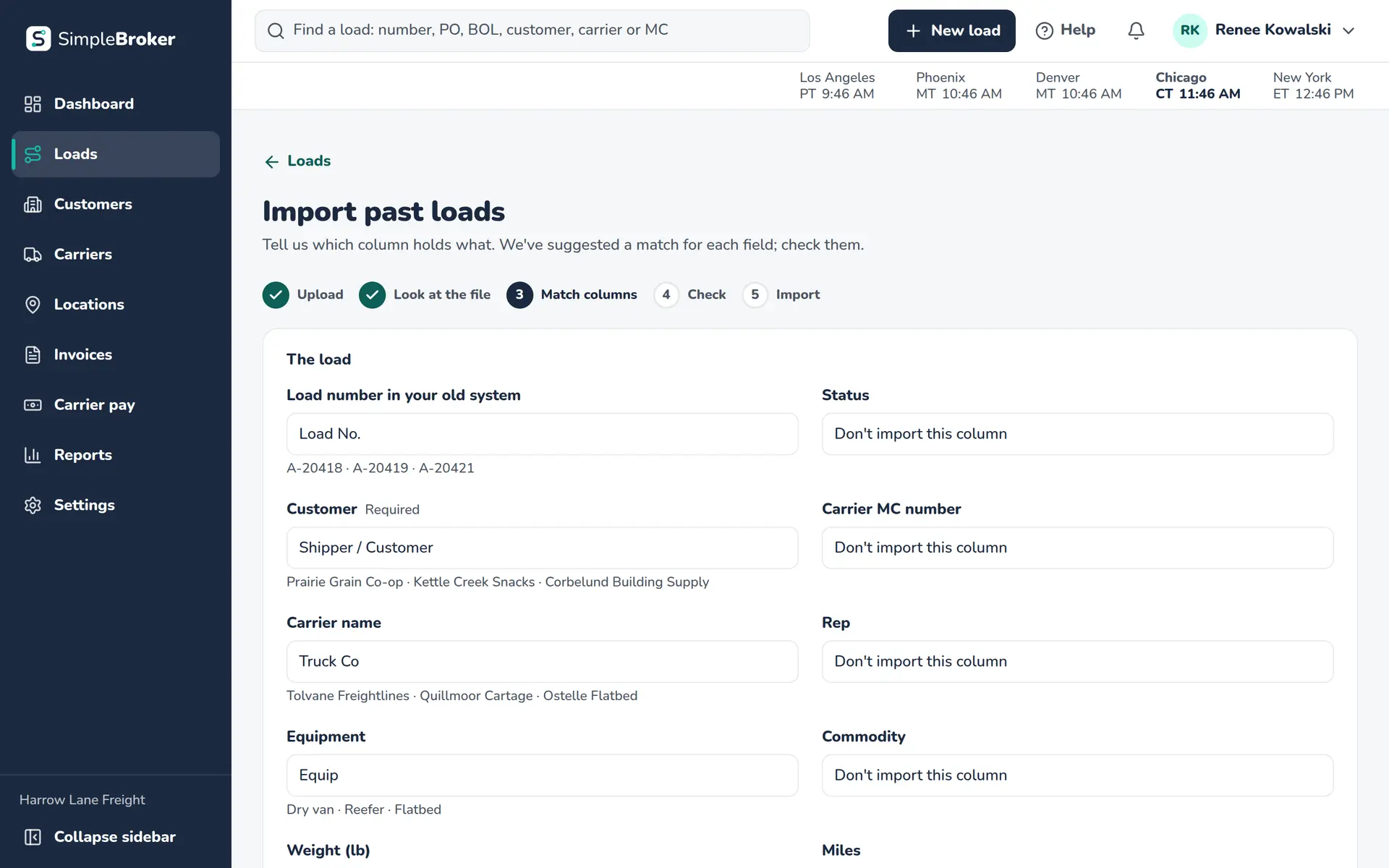
Tap the picture to see the whole screen.
Simple pricing, per seat
Pay only for the people who use it. The first 20 brokerages get the founding price.
Pricing at launch. Founding broker spots are reserved through early access.
Founding broker
First 20 brokerages$49per seat / month
Your price stays locked as long as you stay subscribed, including seats you add later.
- Every feature
- Unlimited loads
- No seat minimum
Standard
$64per seat / month
The regular price for every brokerage after the first 20.
- Every feature
- Unlimited loads
- No seat minimum
- At launch: 14-day free trial
- No contract
- No setup fees
Questions brokers ask
Who is SimpleBroker for?
Freight brokerages that want one simple system for loads, carriers and billing, from a one-person shop to a team across several offices.
When does it launch?
Early access comes first, so there's no public launch date yet. Join early access and we'll email you before launch.
How will the free trial work?
At launch, you'll get 14 days with every feature. There will be no setup fees.
Will there be a contract?
No. At launch, you'll pay month to month for each seat you use, and you'll be able to cancel any time.
Can I bring my customers and carriers over from Excel?
Yes, from Excel or CSV, matching your own columns. Customers, carriers, locations and past loads all come in the same way, so nothing is re-typed.
Does it work with QuickBooks?
Yes. QuickBooks Online sync is part of launch.
Does it work with load boards?
Yes, DAT and Truckstop are part of launch.
How will I get help?
Once we launch, email support@simplebrokertms.com and we'll help you get set up. Questions before then go to sales@simplebrokertms.com.

Ready to leave the spreadsheet behind?
Join early access, and we'll email you before launch.
Email sales@simplebrokertms.com to join early access.
- At launch: 14-day free trial
- No contract
- No setup fees